Apple Watch Companion
Control from Your Wrist
The FitBeat companion app for Apple Watch gives you complete workout control without reaching for your phone. See your BPM, control music, and track progress.
The FitBeat companion app for Apple Watch gives you complete workout control without reaching for your phone. See your BPM, control music, and track progress.
Full workout control without your phone.
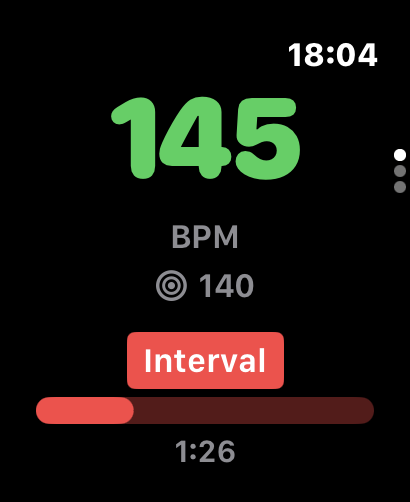
See your current music BPM and how it matches your workout intensity at a glance.
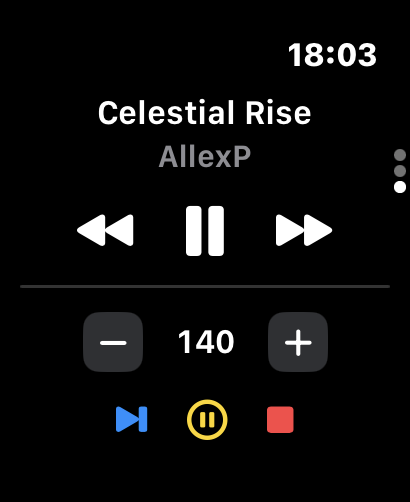
Play, pause, skip tracks, and adjust volume directly from your wrist during workouts.
Uses Apple Watch sensors for accurate heart rate data to drive Heart Rate mode.
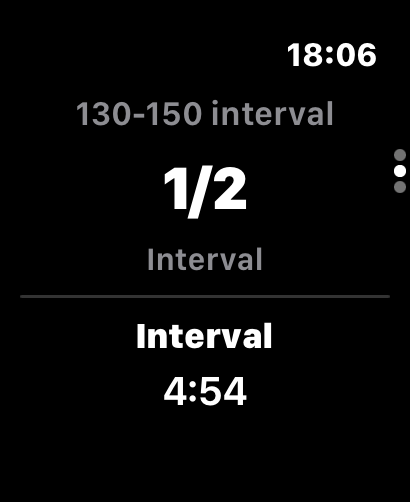
Start, pause, and end workouts. Skip intervals and see remaining time.
Visual progress indicator shows where you are in your workout and current interval.
Live Activity shows workout progress in Dynamic Island on iPhone 14 Pro and later.
Native watchOS app with optimized interface for quick glances.
BPM Display
Music Controls
Intervals
Install FitBeat on your iPhone from the App Store.
The watch app installs automatically when your devices are paired.
Open FitBeat on your watch and control your workout music.
FitBeat works with:
Requires watchOS 9.0 or later
Download FitBeat and the Apple Watch app installs automatically.